Top 4 Microsoft 365 Copilot Uses
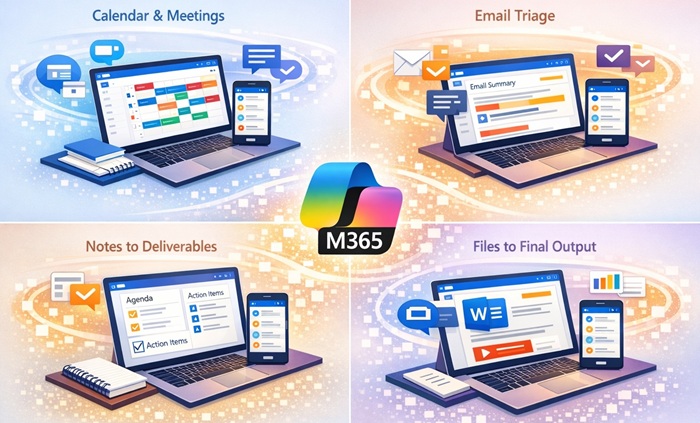
Today, the highest-value “Top 4” you can do with Microsoft 365 Copilot across Windows 11 and mobile are: (1) Run the day from Calendar + Meetings, (2) Collapse Email into decisions and next actions, (3) Convert Notes into deliverables, (4) Turn Files into client-ready output faster. Each one is materially stronger now because Copilot can be used on desktop and on mobile and can increasingly take multi-step, in-app actions (agentic behavior) rather than only generating text.
1) Calendar + Meetings:
Outcome: Know what’s next, prepare faster, and leave each meeting with clear follow-through.
What you can do today (Windows 11 + Mobile):
- Pre-meeting prep and “catch up”: Ask Copilot to summarize relevant context from meetings, emails, and chats so you enter meetings with a concise brief.
- Meeting recap and action capture (especially from Teams): Use Copilot to summarize discussions, identify key points, and extract action items from meeting content (transcripts/chats when available).
- Windows 11 access point for “Work” scope: On Windows devices signed in with work account, Copilot Chat can be available with enterprise data protection, and licensed users can toggle between web and work grounding for calendar- and meeting-related queries.
Prompt:
“Using my Outlook calendar, upcoming Teams meetings, and recent meeting transcripts, create a prioritized daily execution plan. Identify the top 3 meetings that directly impact revenue, summarize key objectives for each, highlight risks or missing preparation, and list the exact actions I need to complete before, during, and after each meeting. Include stakeholder context, prior commitments, and any follow‑up items that are overdue.”
2) Email triage to decisions and next actions
Outcome: Reduce time-in-inbox by converting threads into: what changed, what matters, what you owe, and what to delegate.
What you can do today (Windows 11 + Mobile):
- Summarize long threads quickly (from Outlook/communications content accessible to Copilot) into a short “executive digest.”
- Draft replies in your tone and generate variants (short, firm, collaborative) to reduce compose time.
- Mobile “Catch up” workflow: The Microsoft 365 Copilot mobile app explicitly supports “Catch up” by synthesizing email, meetings, and chats into digestible summaries.
Prompt:
“Review my Outlook inbox from the past 48 hours. Collapse all emails into:
- Decisions I need to make
- Actions I must take
- Delegations I should assign
- Messages that require no action
For each decision or action, provide a one‑line summary, recommended response, and priority level. Flag anything tied to client commitments, deals, or deadlines.”
3) Notes into deliverables (Silo: Notes)
Outcome: Turn raw meeting notes into agendas, follow-ups, and action lists (without rewriting from scratch).
What you can do today (Windows 11 + Mobile):
- Summarize pages and generate structured outputs (agenda, recap, follow-ups) from your notes content.
- Copilot Notebooks concept (project “binder”): Bring notes, links, files, and Copilot chats together for one project and have Copilot produce summaries and action items based on that collected context.
- Voice on mobile: Start a voice conversation in the Copilot mobile app for hands-free capture and quick synthesis while moving between meetings.
Prompt:
“Using my recent OneNote notes, meeting transcripts, and Teams chats, convert all captured information into structured deliverables. Identify key themes, decisions, and commitments, then produce:
- A clean executive summary
- A task list with owners and due dates
- Any client‑ready outputs such as proposals, follow‑ups, or summaries
Eliminate redundancy and organize everything for immediate use.”
4) Files to client-ready output
Outcome: Faster first drafts, faster revisions, faster conversion of raw inputs into polished assets.
What you can do today (Windows 11 + Mobile):
- Generate and transform content inside Word/Excel/PowerPoint with more “do the work” capability: Copilot can take multi-step, app-native actions directly in documents, worksheets, and presentations (formatting, restructuring, building visuals, transforming data) while you review and stay in control.
- Mobile file Q&A and summarization: The Copilot mobile app supports asking questions about specific files and generating summaries.
- Find the right file faster on mobile: App store descriptions emphasize quickly finding recent work and files attached to emails, then using Copilot on them.
Prompt:
“Review the selected files (documents, emails, notes, and presentations) and generate a polished, client‑ready output. Synthesize key insights, align messaging to business outcomes, and format into a deliverable suitable for executive review. Recommend improvements to clarity, structure, and impact, and ensure the final version is concise, professional, and action‑oriented.”