Microsoft Pulls Back Copilot Chat from Office Apps: What Changed and Why It Matters
Microsoft’s AI strategy took a noticeable turn this week as it is pulling back Copilot Chat from directly inside Office apps such as Word, Excel, and PowerPoint from April 15. For users who had grown accustomed to chatting with Copilot inline—asking questions, generating content, or summarizing work without leaving their document—the change raised immediate questions.
What exactly changed? Why did Microsoft do this? And what does it mean for everyday Office users and organizations betting on Copilot?
Here’s a clear breakdown of what’s happening—and why it matters more than it may initially seem.
What Changed Inside Office Apps?
Until recently, Copilot Chat appeared as a persistent or easily accessible conversational interface embedded directly within Office apps. Users could:
- Ask Copilot questions about their document
- Generate drafts, formulas, or slides
- Request summaries or explanations mid‑workflow
- Interact conversationally without switching context
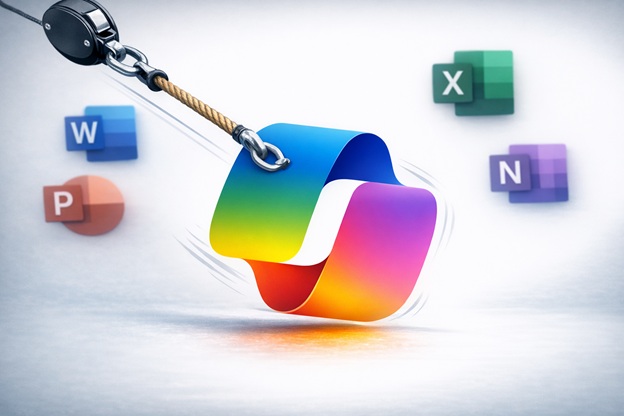
Microsoft has now reduced or removed that standalone “chat‑first” experience inside Office apps, shifting Copilot toward task‑specific, contextual commands instead of an open chat panel.
In practical terms, Copilot hasn’t disappeared but how you interact with it has changed.
Instead of “chatting with Copilot,” users are increasingly prompted to:
- Use Copilot through contextual buttons (e.g., Summarize, Rewrite, Analyze)
- Trigger AI assistance at specific moments
- Access broader Copilot Chat through separate entry points, such as Copilot.microsoft.com or Microsoft Teams
Why Microsoft Is Pulling Back Copilot Chat
This move isn’t a retreat from AI. it’s a course correction.
1. Reducing Cognitive Overload
Early Copilot usage data showed that many users felt overwhelmed by a full chat interface layered on top of already complex Office apps. Too many options, too many prompts, and unclear starting points often slowed people down instead of helping them move faster.
Microsoft appears to be prioritizing guided AI experiences over open‑ended conversations inside productivity tools.
2. Clarifying Copilot’s Role
Another challenge was confusion:
- Is Copilot a chatbot?
- Is it an assistant?
- Is it a feature?
- Is it a separate product?
By pulling back chat from inside Office apps, Microsoft is drawing a clearer line:
- Office apps = task execution
- Copilot Chat = reasoning, exploration, cross‑work queries
This separation helps users better understand where to go depending on what they’re trying to do.
3. Performance and Reliability
Running a persistent chat interface inside complex apps like Excel and PowerPoint is computationally expensive. Limiting chat reduces latency, improves stability, and helps Microsoft better manage Copilot performance at scale especially in enterprise environments.
4. Enterprise Governance and Risk
For organizations, open‑ended chat raised concerns around:
- Data exposure
- Prompt misuse
- Inconsistent outputs
- Compliance and auditing
Task‑based Copilot actions are easier to govern, log, and secure an important factor for large Microsoft 365 customers.
What This Means for Everyday Users
✅ Copilot Is Still There
This is not a Copilot rollback. It’s a UX and workflow shift.
Users can still:
- Generate content
- Analyze data
- Summarize documents
- Get AI assistance
But interactions are now more structured and intentional.
🔄 Workflow Changes to Expect
You may notice:
- Fewer open‑ended prompts
- More “suggested actions” instead of free‑form chat
- AI help appearing at specific stages (drafting, reviewing, analyzing)
- Greater reliance on Copilot Chat outside Office apps
📉 Less Experimentation, More Execution
Power users who enjoyed brainstorming freely inside Word may feel constrained. However, many users, especially non‑technical ones benefit from clearer guidance and faster outcomes.
What This Signals About Microsoft’s AI Strategy
This change reveals something important: Microsoft is moving from novelty to normalization.
Early Copilot releases emphasized “wow” moments. Now the focus is:
- Adoption at scale
- Consistent value
- Predictable results
- Enterprise trust
AI is no longer being positioned as a chatbot everywhere but as invisible intelligence embedded where it adds the most value.
How to Stay Productive After the Change
Here’s how users and teams can adapt quickly:
- Use Copilot actions intentionally: Look for built‑in prompts like Summarize, Rewrite, and Analyze.
- Leverage Copilot Chat separately for broader reasoning, planning, or research.
- Train teams on new workflows so expectations match reality.
- Document best‑practice prompts for task‑based Copilot usage.
Organizations that adjust early will see better adoption and less frustration.
Final Thoughts
Microsoft pulling back Copilot Chat from Office apps isn’t a step backward it’s a sign of maturity.
The company is refining how AI fits into real work, balancing innovation with usability, governance, and scale. For users, the key is understanding that Copilot hasn’t gone away, it’s simply evolving into a more focused, purposeful assistant.
The future of AI at work isn’t about chatting more.
It’s about getting the right help at the right moment.
It’s about getting the right help at the right moment.