Boost Your Workflow: Integrating Microsoft Teams with Other Apps
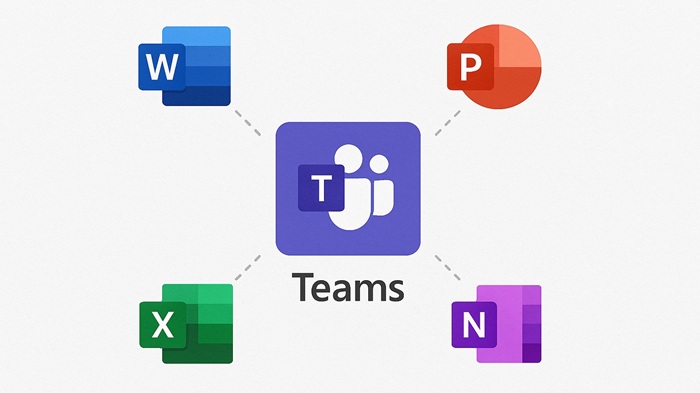
In today’s fast-paced digital workplace, efficiency is everything. Microsoft Teams has become the go-to collaboration hub for millions of organizations worldwide. But did you know that its true power lies in integration? By connecting Teams with other apps—both Microsoft and third-party—you can streamline workflows, reduce context switching, and supercharge productivity.
In this guide, we’ll explore why integration matters, the top apps to connect with Teams, and step-by-step tips to make it happen.
Why Integrate Microsoft Teams with Other Apps?
Modern work involves juggling multiple tools email, calendars, project management platforms, and communication apps. Constantly switching between them wastes time and creates friction. Integrating these tools with Teams offers:
- Centralized Communication: Keep conversations, files, and tasks in one place.
- Automated Workflows: Reduce manual tasks with connectors and bots.
- Improved Collaboration: Share updates and documents without leaving Teams.
- Real-Time Notifications: Stay informed without drowning in emails.
Top Microsoft Apps to Integrate with Teams
-
Outlook
- Sync your calendar and schedule meetings directly from Teams.
- Use the Teams Meeting Add-in for Outlook to create instant video calls.
-
SharePoint
- Store and manage documents seamlessly.
- Enable version control and co-authoring within Teams channels.
-
OneDrive
- Access personal files and share them in chats or channels.
- Perfect for quick file sharing without email attachments.
-
Power Automate
- Automate repetitive tasks like approvals or notifications.
- Example: Trigger a Teams message when a new SharePoint file is uploaded.
Top Third-Party Apps to Integrate
-
Trello or Asana
- Manage projects without leaving Teams.
- Add boards or tasks as tabs in relevant channels.
-
Zoom
- If your organization uses Zoom, integrate it for easy meeting scheduling.
-
Salesforce
- Keep sales teams updated by pulling CRM data into Teams.
-
GitHub
- Developers can track commits and pull requests directly in Teams.
How to Integrate Apps with Microsoft Teams
Step 1: Use Tabs
- Add apps as tabs in channels for quick access.
- Example: Add a Trello board to your project channel.
Step 2: Leverage Connectors
- Connectors push updates from apps into Teams conversations.
- Example: Get notifications from Jira or Twitter in a dedicated channel.
Step 3: Explore Bots
- Bots like Who or Polly can answer questions or run polls.
Step 4: Automate with Power Automate
- Create flows that link Teams with other apps.
- Example: Automatically post a message in Teams when a new lead is added in Salesforce.
Best Practices for Smooth Integration
- Start Small: Begin with essential apps like Outlook and SharePoint.
- Train Your Team: Ensure everyone knows how to use integrations effectively.
- Monitor Usage: Use analytics to track adoption and adjust as needed.
- Stay Secure: Review permissions and compliance settings regularly.
Conclusion
Integrating Microsoft Teams with other apps isn’t just a convenience—it’s a game-changer for productivity. By centralizing tools and automating workflows, you empower your team to focus on what matters most: collaboration and results. Start with the basics, experiment with advanced integrations, and watch your efficiency soar.